
Maybe you want to save your session, or send the links to a friend, or share a page on social networks. Copying and pasting a link is ok if the service has web previews to display what the URL is for. But if it doesn't support it, you may want to share some information about the page.
Including the title of the page should give the recipient an idea what the link is about. But then, you will need to copy 2 things. This isn't a problem when it's just one link or two, but if you share pages frequently, you may want a more efficient way to do that.
CopyTabTitleUrl is an extension for Firefox and Chrome that allows you to copy the web page's URL in multiple ways.
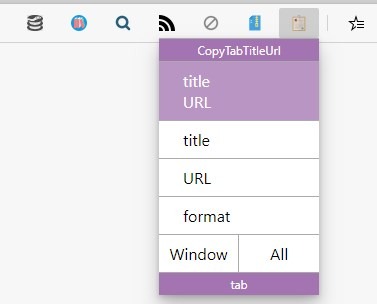
Visit any web page, and click on the extension's button on the browser's toolbar. A small modal will pop-up. It has a few options.
Click on the "Title and URL" button to copy the page's tile and URL to the clipboard in a single click. It will be saved like this:
Here is what is new and changed in Firefox 84.0 - gHacks Tech News
https://ift.tt/37ZUNBk
The 2nd option, Title, only copies the page's title.
Thunderbird 78.6.0 is out: here is what is new - gHacks Tech News
The URL button, sends the link to the clipboard like so
https://ift.tt/2IPMnUy
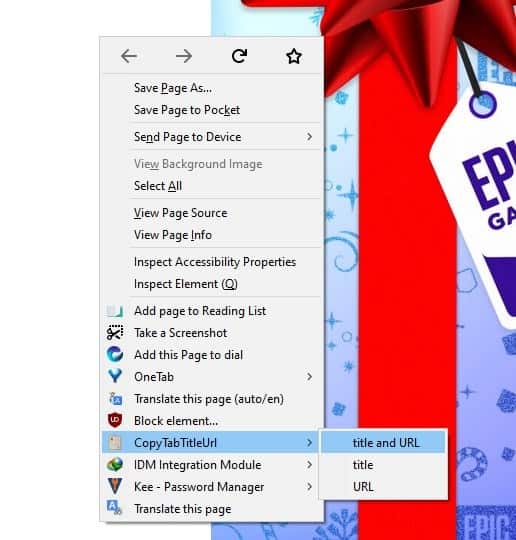
If you don't like the pop-up panel, you can right-click on the CopyTabTitleUrl icon and select one of the 3 copy options.
There is fourth option which is quite different. Format copies the web page's title and link Markdown format.
[gHacks Technology News](https://www.ghacks.net/)
This allows you to share links easily on forums, Reddit and other websites that use the Markdown format.
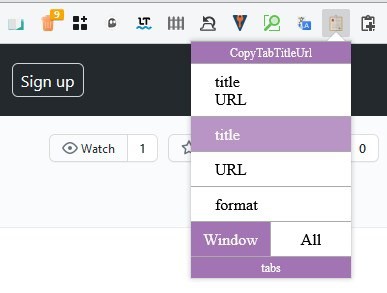
CopyTabTitleUrl has two more buttons at the bottom of the modal, labeled Window and All. These are toggles, which you can enable when required. Click on Window and then use one of the copy options mentioned above, and the addon will save the title, URL of all tabs in the current window to the clipboard.
E.g.
gHacks Technology News
https://www.ghacks.net/
The Epic Games Store Holiday Sale is back on December 17, bringing you the gift of great discounts and 15 Days of FREE Games!
https://ift.tt/37MP15Y
Home / Twitter
https://twitter.com/home
The "All" option works similarly, but copies the content from all windows that are open.
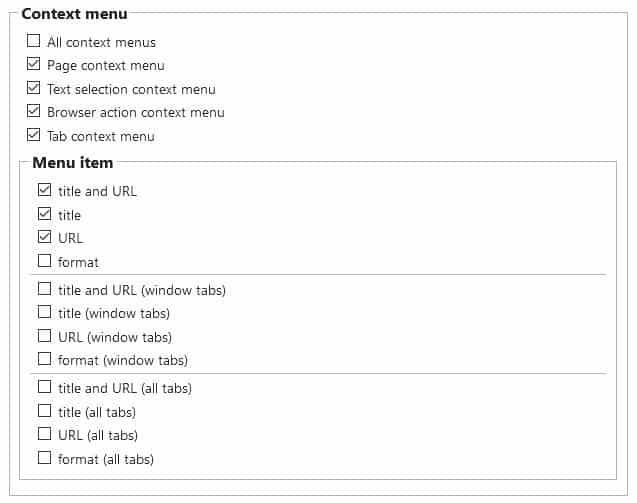
CopyTabTitleUrl has quite a few options that you can tweak. You can enable a context menu for accessing the add-on's copying options quickly from any page, this is faster than clicking on the toolbar and then using the modal. Don't like one of the menu options? Disable them or include more if you want to.
The Format setting lets you customize the syntax it uses for capturing the title, URL, etc. Refer to the GitHub page for a list of supported parameters.
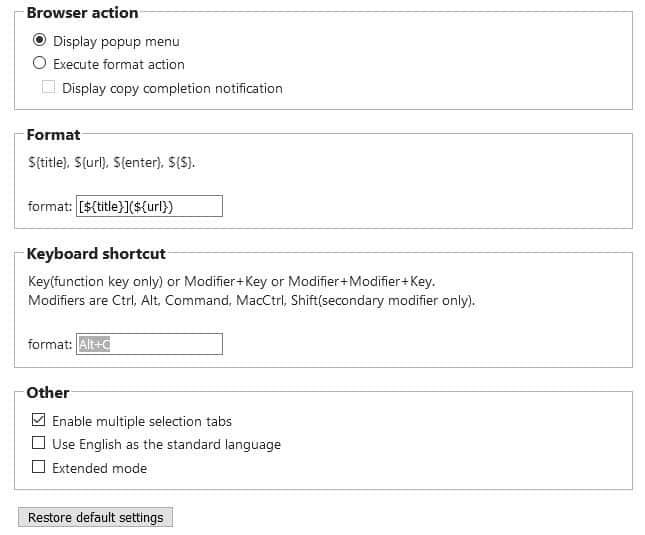
Capture the format style quickly using the hotkey Alt + C. It's a shame there aren't any keyboard shortcuts for the other options. If you're feeling adventurous, toggle the Extended mode for even more options.
CopyTabTitleUrl is an open source extension. Download it for Firefox and Chrome.
The add-on can't open multiple URLs at the same time, but you can use an extension like the Multiple Paste and Go Button, to help you open the links in separate tabs with a single-click.
Thank you for being a Ghacks reader. The post Save the title and URL of your tabs in different formats with the CopyTabTitleUrl extension for Firefox and Chrome appeared first on gHacks Technology News.
https://ift.tt/3rlOmBr
from gHacks Technology News https://ift.tt/34Dk5ED

No comments:
Post a Comment