
Compact Headers is a long-standing extension for the open source Thunderbird email client that gives users options to reduce the size of email headers significantly, up to a single line.
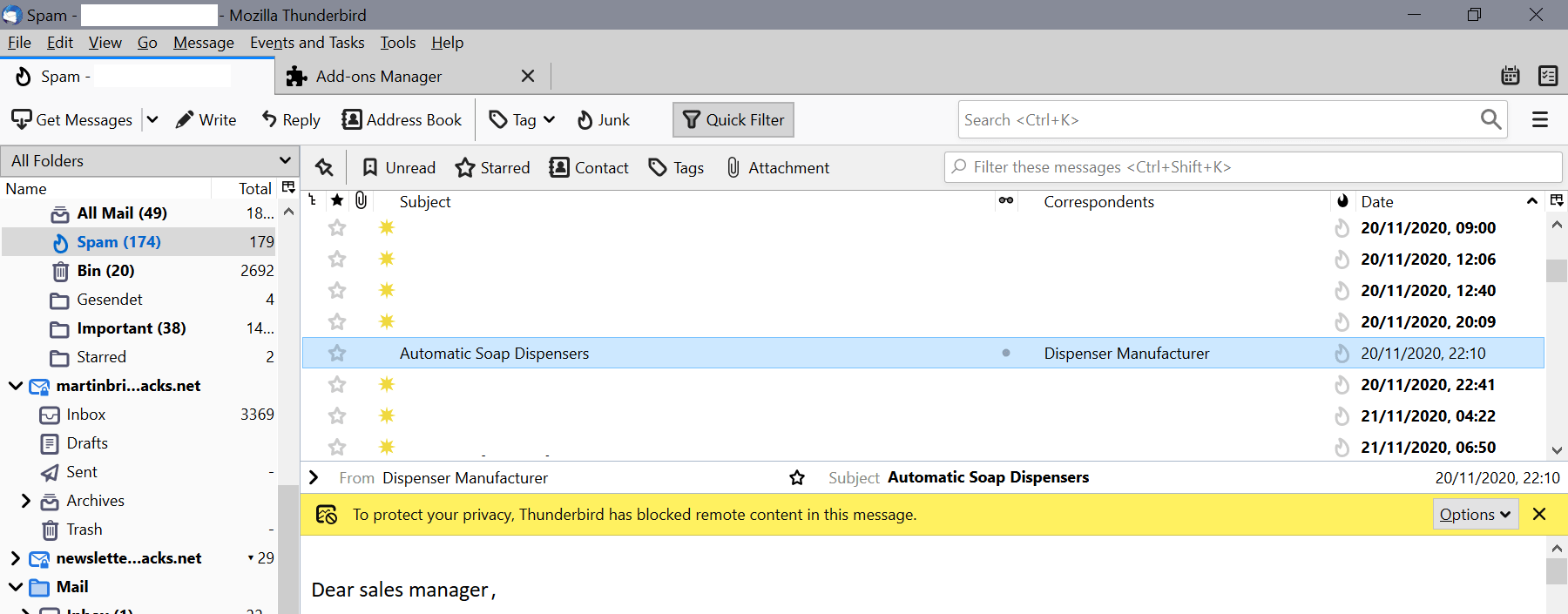
One of the devices that I use Thunderbird on is a Surface Go device; it has a rather small screen and it is quite difficult to read emails in Thunderbird because of the huge header that the client displays in the reading pane. While I could open emails individually to get more space, I tend to read them in the main Thunderbird window as it is faster and more convenient.
The built-in option to reduce the header does not cut it, as the header remains too large for my taste as the headers take up seven lines on the screen in full mode.
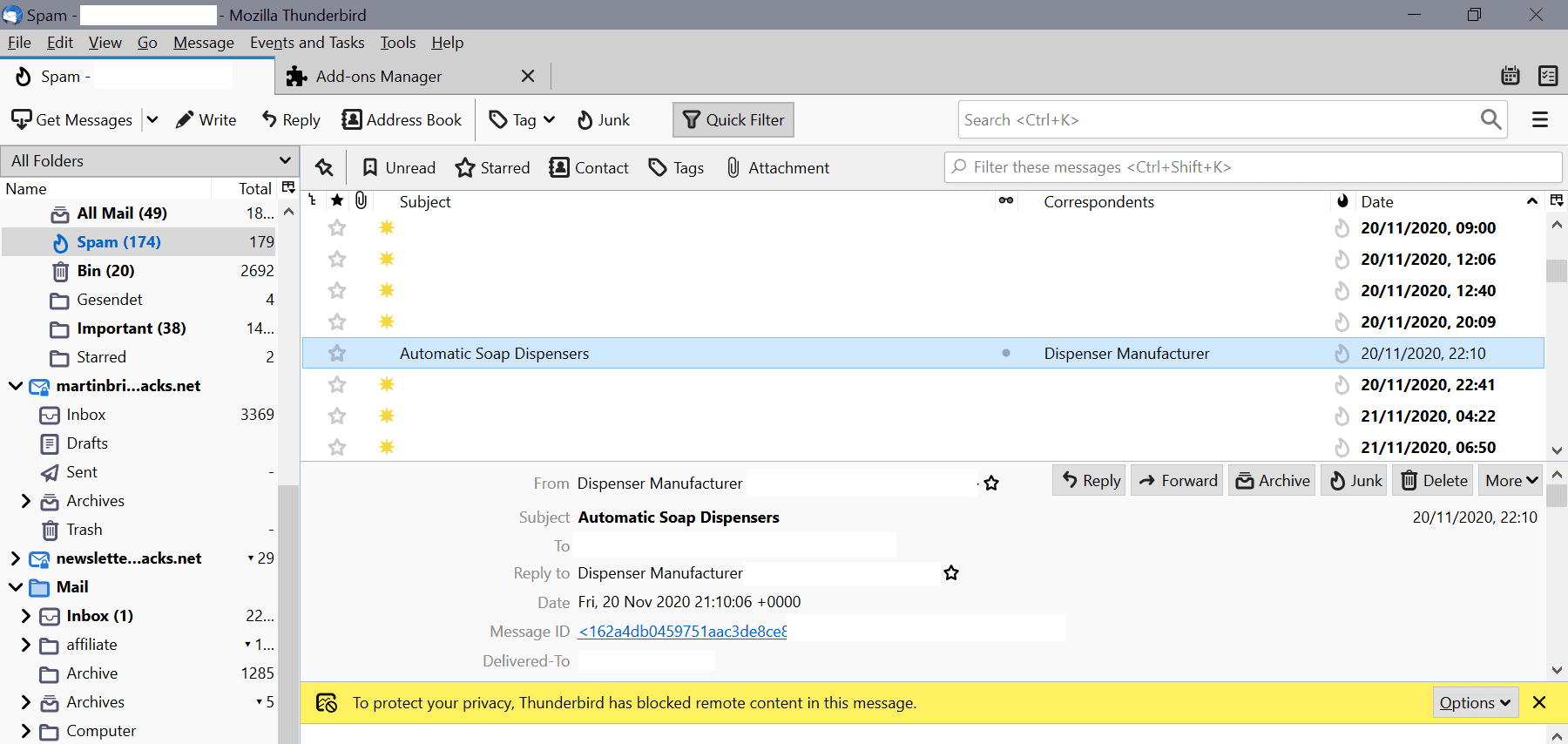
Compact mode, which you can enable under View > Headers, reduces the lines to four. I don't need most information that is displayed in the header, sender and subject are sufficient for my needs.
Compact Headers is an extension for Thunderbird that adds options to the interface to reduce email headers further. It works similarly to the Compact Headers add-on that I reviewed for Thunderbird 3 back in 2009, but is compatible with Thunderbird 78.* unlike the former.
Install Compact Headers in Thunderbird
Here are the instructions to install the extension in the Thunderbird email client:
- Open the extension's page on the Thunderbird website.
- Download it to the local system.
- In Thunderbird, select Tools > Add-ons.
- Click on the gear (settings) icon on the page that opens and select Install Add-on from file.
- Select the downloaded extension file to install it in Thunderbird.
- Confirm the permissions that it requires.
Using Compact Header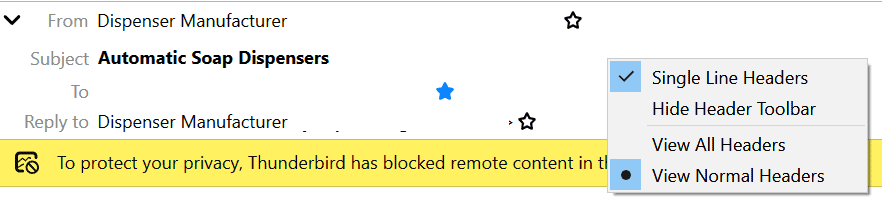
Compact Header works right out of the box after you have installed it in the Thunderbird email client. It comes without options on its add-ons page. Everything is managed via the headers toolbar in the client.
Use the arrow icon in the header bar to change the display of headers. You need to right-click on the headers toolbar and select "single line headers" to change the display to a single line that displays the sender's email address and email subject only. There is also an option to hide the entire headers bar to free up even more space.
Closing Words
Compact Headers is a straightforward extension for Thunderbird that is especially useful on devices with smaller displays and for users who tend to read emails in the main window and not individual windows.
Now You: Do you use extensions in Thunderbird? If so which and what do they do?
Thank you for being a Ghacks reader. The post Reduce the size of email headers in Thunderbird with Compact Headers appeared first on gHacks Technology News.
https://ift.tt/3mqGZF3
from gHacks Technology News https://ift.tt/38iwmiL

No comments:
Post a Comment