
Many power users prefer keyboard shortcuts to get things done. Extensions like VimVixen or SurfingKeys provide many options to navigate and use Firefox using the keyboard.
Mouse users have shortcut add-ons, too: remember Easy Gestures, smartUp Gestures, or FireGestures? There are similar add-ons available, such as Foxy Gestures.
Once you install it, the extension places an icon on the toolbar. Clicking on it disables gestures on the current page. Right-clicking on it isn't going to help you much.
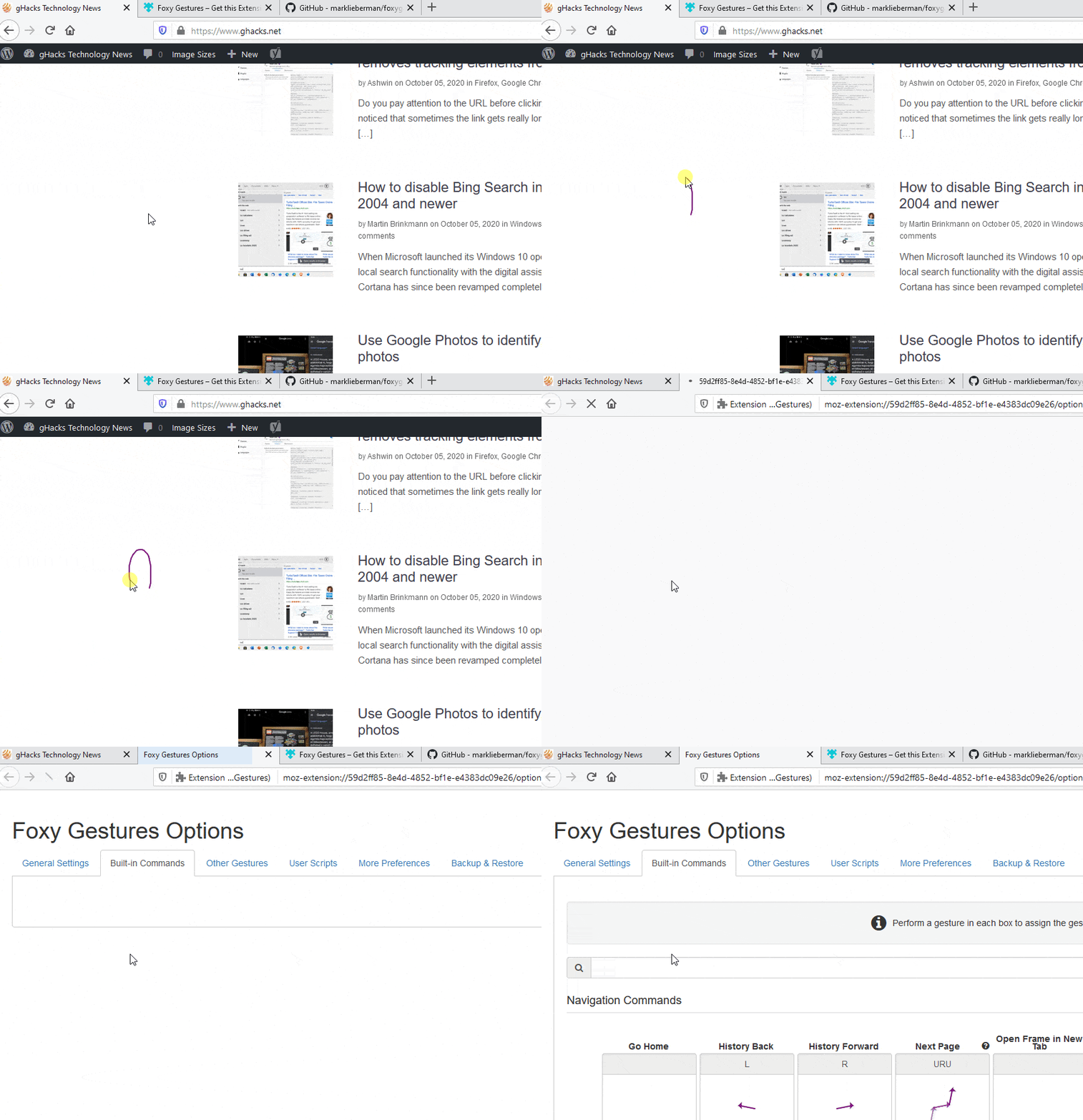
To access the Foxy Gestures Settings, open the about:addons page, click on the three dot button (next to the large toggle switch) and select options. Wait, let's try something simpler. Draw an upside-down U (right to left), and the add-on's options page should open.
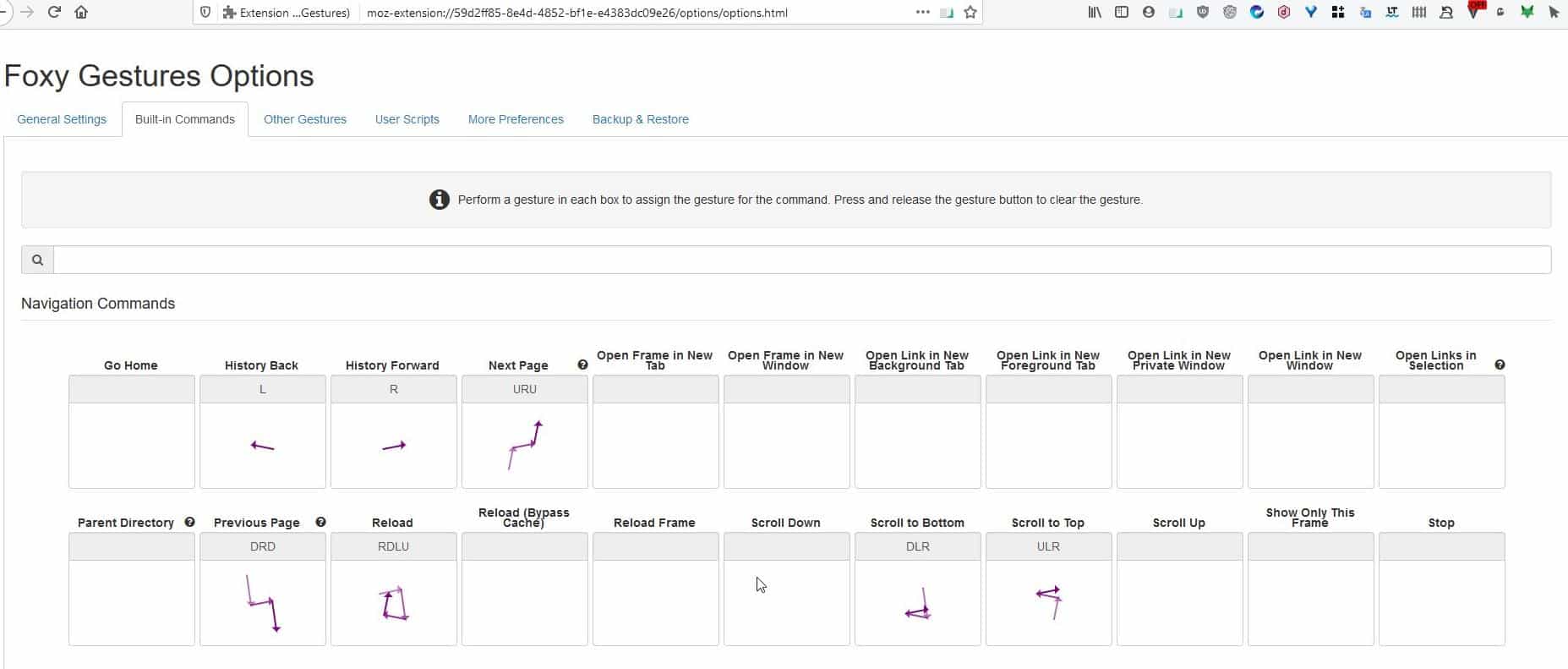
This page has many tabs, and the current one (built-in commands) contains the list of all shortcuts that are supported by the add-on.
Every command has a label describing what it does, e.g. reload (refresh), close tab, etc. You'll see a diagram below the command that represents the gesture required to trigger the shortcut.
The first gestures you should get used to are back and forward. Draw a line from the right to the left direction, to go back to the previous page. Draw it from the left to the right to move to go forward. That's quite easy, isn't it? It's almost like using a smartphone.
Not all gestures are that simple though. Some commands require multiple movements. Observe the list closely and you'll notice each of them have some letters displayed below the label, e.g. reload has RDLU below its name. This stands for Right, Down, Left, and Up.
So you'll need to draw the gesture in that particular order. There's another way to see how to use a gesture. Let's look at the same gesture, it consists of 4 lines and the arrows indicate the direction in which you should move the mouse.
Don't worry though you don't have to be precise while drawing a gesture. Even though reload may look like a square, Foxy Gestures detects the movement of the mouse to trigger the shortcut. As long as the mouse moves in the RDLU directions, the command will work even if you draw something close to the gesture.
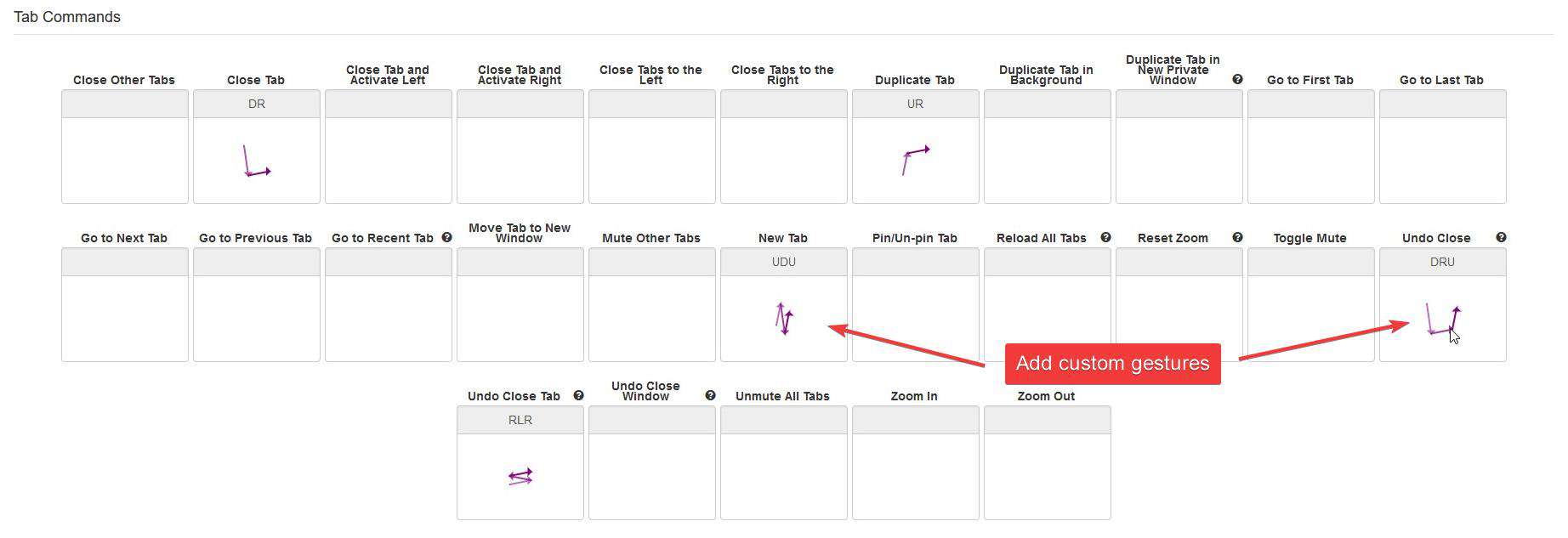
Not every command listed on the page has a gesture. You can create your own gesture for opening, closing, switching tabs, undo close tab, go to the home page, e.g. try drawing a W or a V or any other simple shortcut for one of the commands. Got it wrong? Want to re-assign a better gesture? You can start over easily, just right-click on a gesture to delete it.
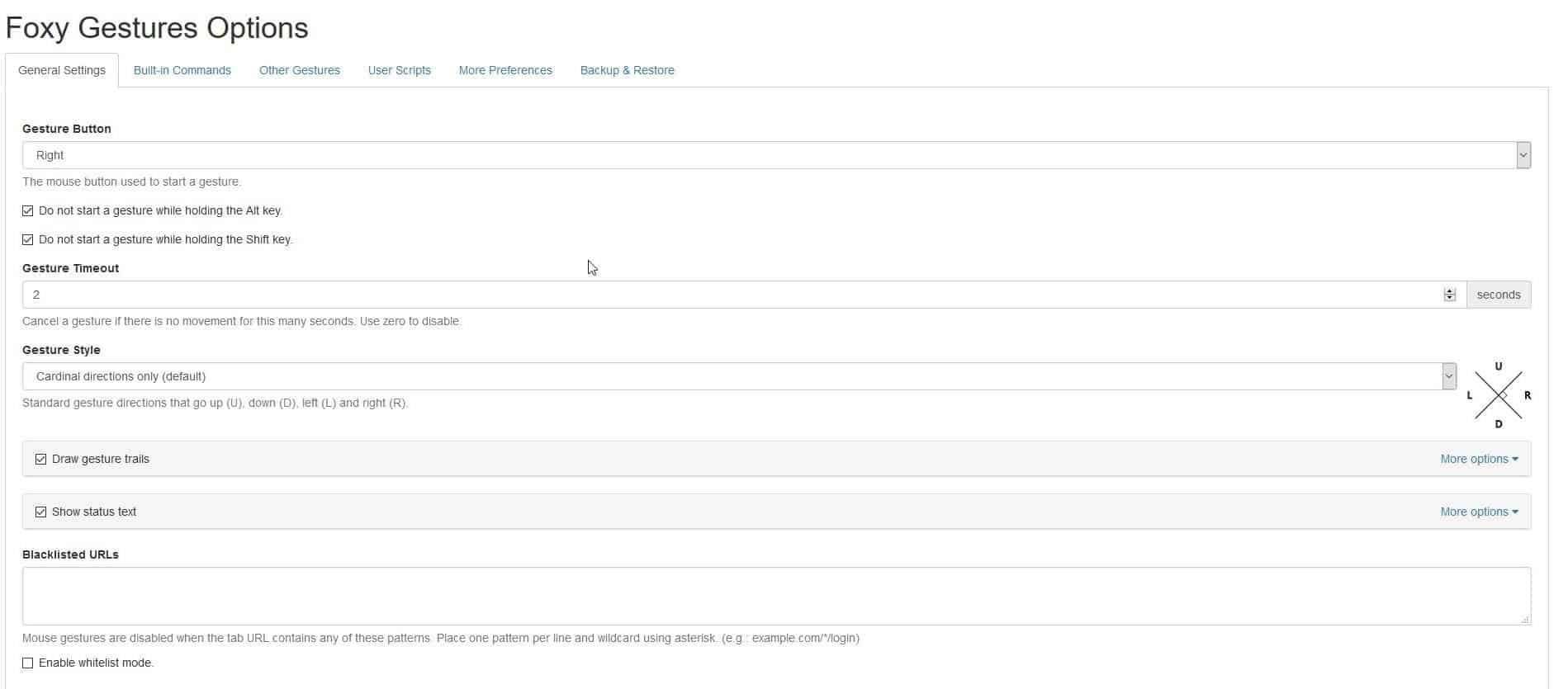
Go to the General Settings tab to change the Gesture button (trigger) to the right/left or middle mouse button. Don't want to accidentally start a gesture? Hold down the Alt or Shift key. You can exclude websites on which you don't want to use gestures, by including them in the blacklisted URLs. A similar whitelist mode can optionally be enabled as well.
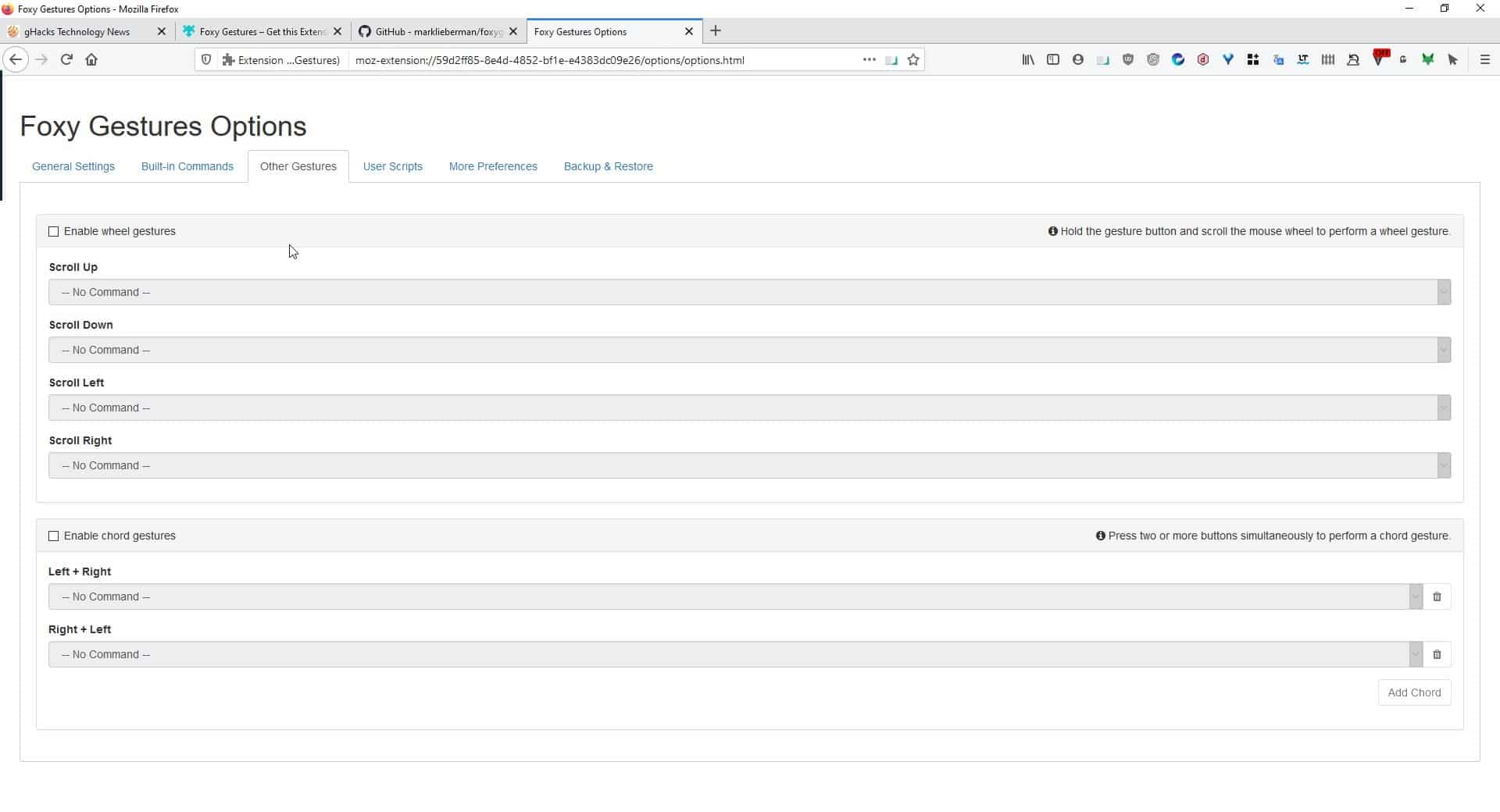
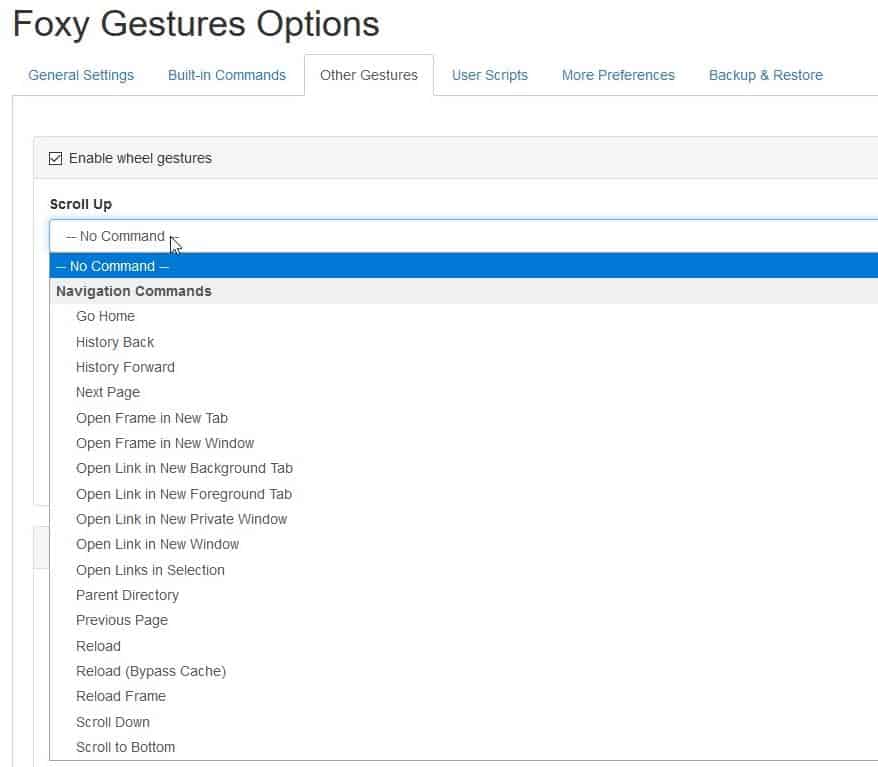
Want to use the mouse wheel for gestures? You can do that by toggling the option from the "Other Gestures" tab, and select a gesture for it. Skilled users may be interested in the User Scripts tab.
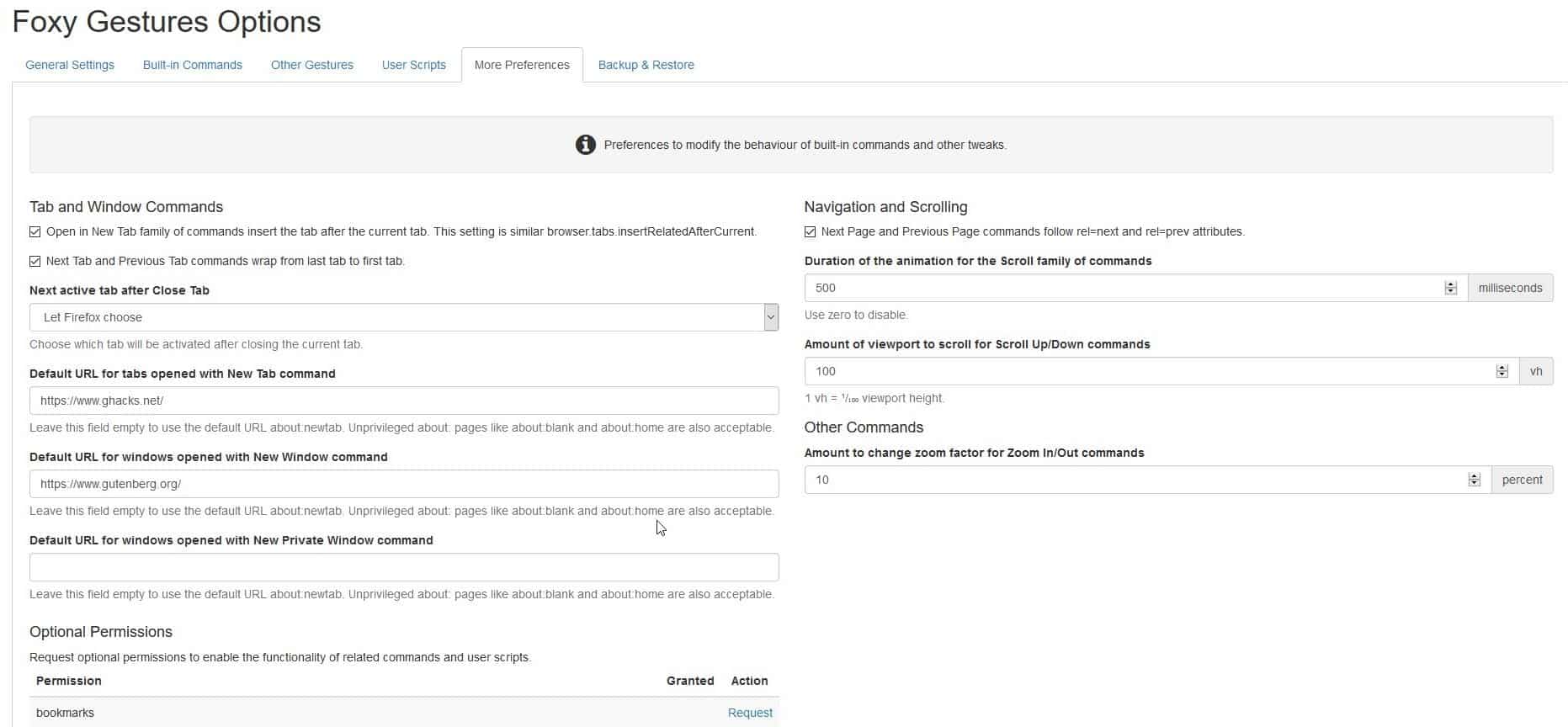
Head to the More Preferences tab. There are some options here for advanced users. You can assign a specific URL to be loaded in a new tab or window. For this to work, you'll obviously need to have assigned gestures for the corresponding commands.
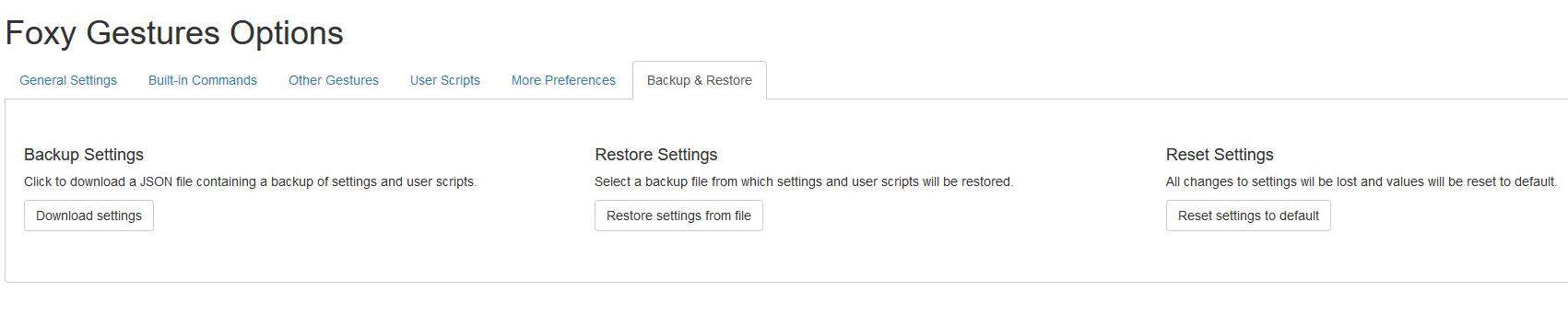
The backup and restore tab lets you export and import your settings to/from a JSON file.
Foxy Gestures is an open source extension. It is one of Firefox's recommended add-ons.
If you don't like the extension, try Gesturefy.
Thank you for being a Ghacks reader. The post Manage tabs and navigate pages with the mouse using Foxy Gestures extension for Firefox appeared first on gHacks Technology News.
https://ift.tt/33RqT1g
from gHacks Technology News https://ift.tt/3djjWsO

No comments:
Post a Comment